
 29 June 2026
 Share
Share
1
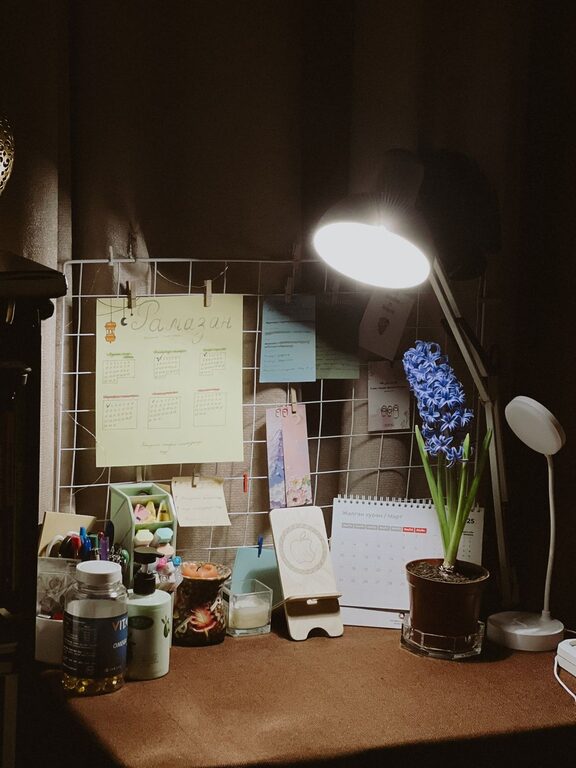
Creating a productive home office environment is essential as more people embrace remote work or flexible schedules. A well-designed workspace not only helps you stay focused but also improves comfort and overall work satisfaction. Whether you have a dedicated room or a small corner, these tips will help you craft a space that promotes efficiency and balance.
Select a location in your home with minimal distractions. Ideally, this should be away from high traffic areas like the kitchen or living room. Natural barriers like doors or partitions can help reduce noise.
Set up your desk near a window if possible. Natural light boosts mood and reduces eye strain. If natural light is limited, invest in quality lighting that mimics daylight.
A supportive chair is key to maintaining good posture and preventing back pain. Look for chairs with adjustable height, lumbar support, and armrests.
Choose a desk that fits your space and work needs. It should be large enough for your computer, documents, and other essentials without feeling cluttered.
Keep your desk tidy by removing unnecessary items. Use organizers, drawers, or trays to store supplies and papers.
Maintain a clean desktop on your computer by organizing files into folders. Use cloud storage to back up important documents and reduce paper piles.
Create a clear schedule for when your workday begins and ends. This helps separate work time from personal time and reduces burnout.
Let family or roommates know your work hours to minimize interruptions. Consider using a sign or signal when you need focused time.
A strong and stable internet connection is essential for remote work. Consider using a wired connection or upgrading your Wi-Fi if necessary.
Noise-canceling headphones can help you concentrate during calls or quiet your surroundings. Quality speakers improve audio for meetings.
Incorporate items that motivate you, such as plants, artwork, or photos. These touches make your space inviting and stimulating.
Adjust room temperature, use a desk fan or heater, and dress comfortably to stay focused throughout the day.
Follow the 20-20-20 rule: every 20 minutes, look at something 20 feet away for 20 seconds to reduce eye strain. Stand up, stretch, or walk around periodically to boost circulation.
Keep a water bottle nearby and choose healthy snacks to maintain energy levels without sugar crashes.
Silence non-essential notifications on your phone and computer during work hours.
Use apps or settings that limit access to distracting websites or social media while working.
Periodically assess what’s working and what isn’t. Small changes to lighting, furniture, or organization can make a big difference.
Follow productivity blogs, join online communities, or attend webinars related to remote work to discover new ideas.
—
A productive home office is about creating a space that supports your work style and well-being. By investing time in design, organization, and routines, you can enjoy a comfortable environment that helps you achieve your best work every day.
