 29 June 2026
 Share
Share
1


Creating a home workspace that balances coziness with productivity can make a big difference in how you feel about your workday. Whether you’re working remotely full-time or just need a spot for occasional projects, having a dedicated area that inspires focus and comfort is key. Below are helpful tips to design a home workspace that supports both your comfort and efficiency.
Finding the perfect spot in your home is the first step. Here are some factors to consider:
– Quiet and Low Traffic: Select an area that experiences minimal noise and distractions. A quiet corner or spare room can help you concentrate better.
– Natural Light: Aim for a spot near a window to take advantage of natural light. It can boost your mood and reduce eye strain.
– Privacy: If possible, choose a place that offers privacy for calls, virtual meetings, or deep focus work.
Comfort is essential for long work hours. Consider these furniture tips:
– Ergonomic Chair: Choose a chair with good back support and adjustable height to encourage proper posture.
– Sturdy Desk: Pick a desk that fits your space and has enough surface area for your computer, notebooks, and other tools.
– Consider a Standing Desk: If you want to avoid sitting all day, a height-adjustable desk adds versatility and promotes movement.
Good lighting can make your workspace welcoming and reduce fatigue.
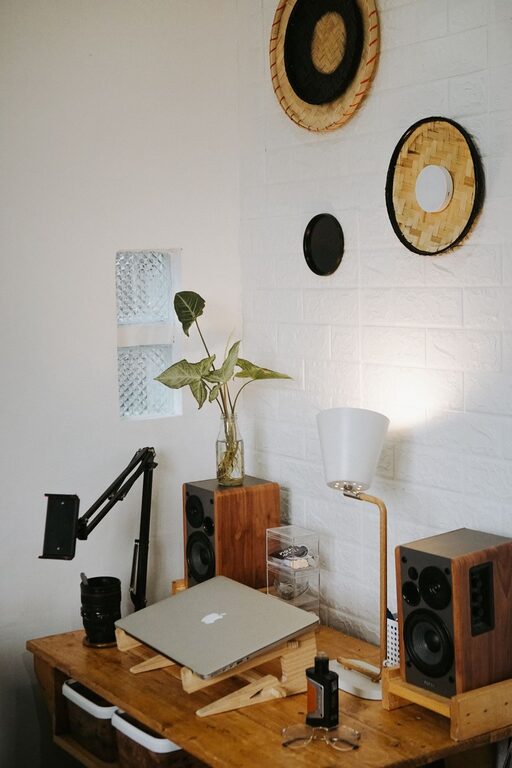
– Layer Your Lighting: Combine ambient light with task lighting, such as a desk lamp, to ensure sufficient illumination.
– Use Warm Light Bulbs: Warm tones tend to be easier on the eyes and create a cozy atmosphere.
– Control Glare: Position your screen and lights to avoid glare, which can cause discomfort.
A clutter-free area encourages focus and calmness.
– Use Storage Solutions: Shelves, bins, and drawer organizers help keep supplies tidy and accessible.
– Limit Desk Items: Keep only essentials on your desk to minimize distractions.
– Cable Management: Use clips or sleeves to keep cords neat and out of the way.
Adding personal touches can make your workspace inviting without distracting you.
– Add Plants: Small indoor plants can improve air quality and add life to the space.
– Display Inspiring Items: Photos, artwork, or motivational quotes can boost your mood.
– Choose a Calming Color Scheme: Soft colors like blues, greens, or neutrals create a peaceful environment.
Technology is crucial but should support your workflow smoothly.
– Reliable Internet Connection: Ensure strong Wi-Fi or consider a wired connection for stability.
– Organize Digital Tools: Keep your computer desktop and files well organized for quick access.
– Use Headphones: Noise-canceling headphones can help block distractions and improve call quality.
Your workspace will be most effective when paired with good habits.
– Set Work Hours: Define clear start and end times to balance work and personal life.
– Take Breaks: Schedule short breaks to stretch and rest your eyes.
– Keep the Space for Work: Avoid using your workspace for non-work activities to condition your mind for focus.
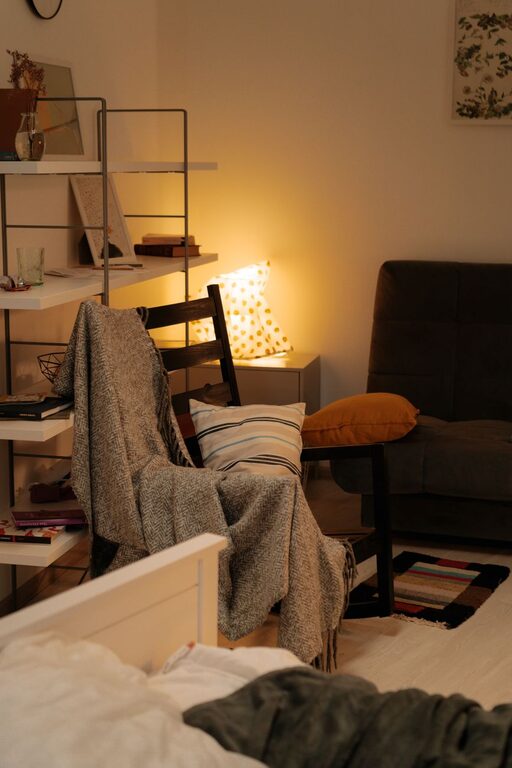
Incorporate elements that contribute to a cozy feeling.
– Soft Textiles: A comfortable cushion, a throw blanket, or a rug can add warmth to your workspace.
– Temperature Control: Have a fan or heater nearby to stay comfortable throughout the year.
– Scent: Use a subtle diffuser or candle with a relaxing scent to create a pleasant environment.
A cozy and productive workspace doesn’t have to be complicated or expensive. By thoughtfully choosing your location, investing in comfort, organizing well, and adding personal touches, you can create a home office that inspires both comfort and efficiency. Your ideal workspace should support your work style and well-being, making each day more enjoyable and successful.